

Panelcraft — Figure Panel Builder for Scientific Papers
Research & Academic · v
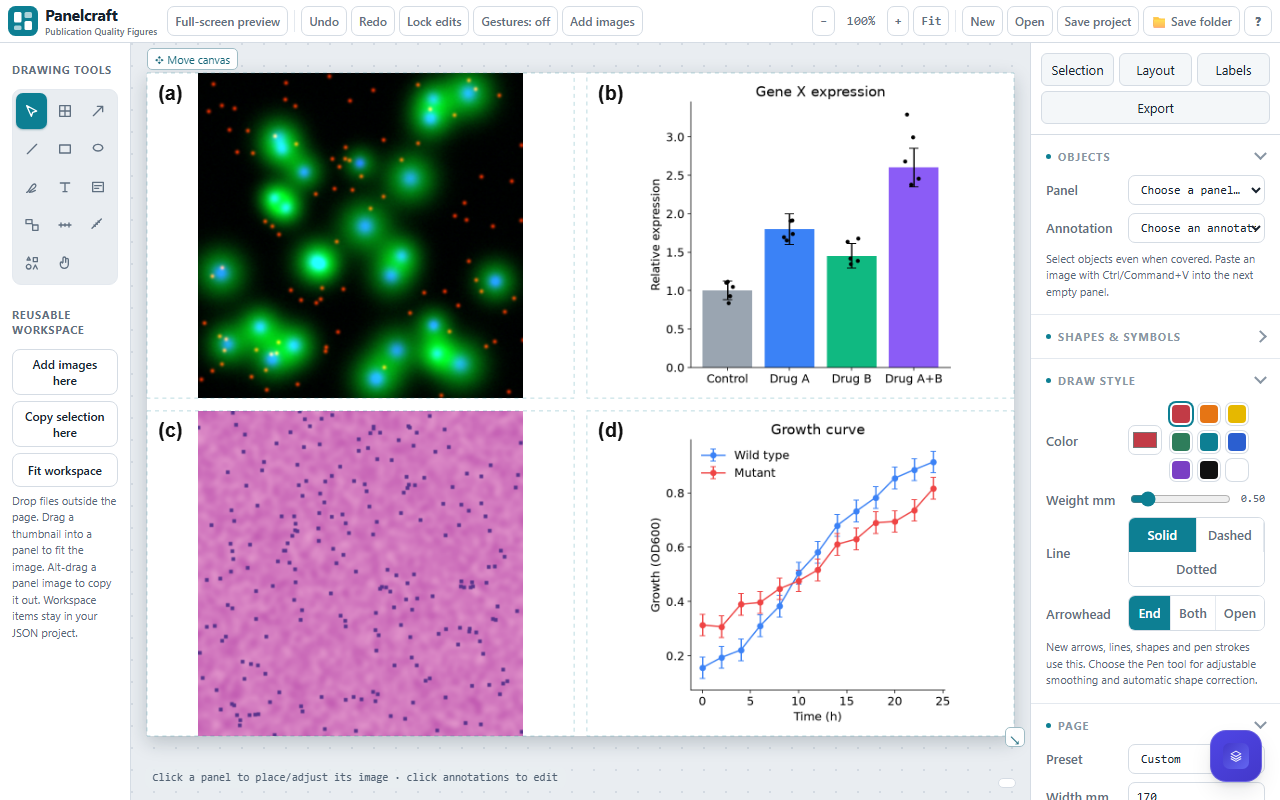
Panelcraft helps researchers, educators and laboratory teams assemble publication-quality figures from microscopy images, gels, plots and illustrations. Choose page dimensions in millimetres, arrange a grid, resize shared rows and columns, and merge or split panels to suit the material. Fit images without distortion, crop them deliberately, and match unused panel space with a background color or a sampled image color.
Edit labels, captions and annotations directly on the figure. Expanding text fields and growing text boxes make longer notes easier to manage. Add arrows, scientific shapes, calibrated scale bars and magnified insets, with controls for fonts, colors, brightness and contrast.
Keep reusable image thumbnails and shapes in the workspace around the figure. Items arrange automatically, with paging for larger collections, and can be dragged into panels while retaining the workspace copy.
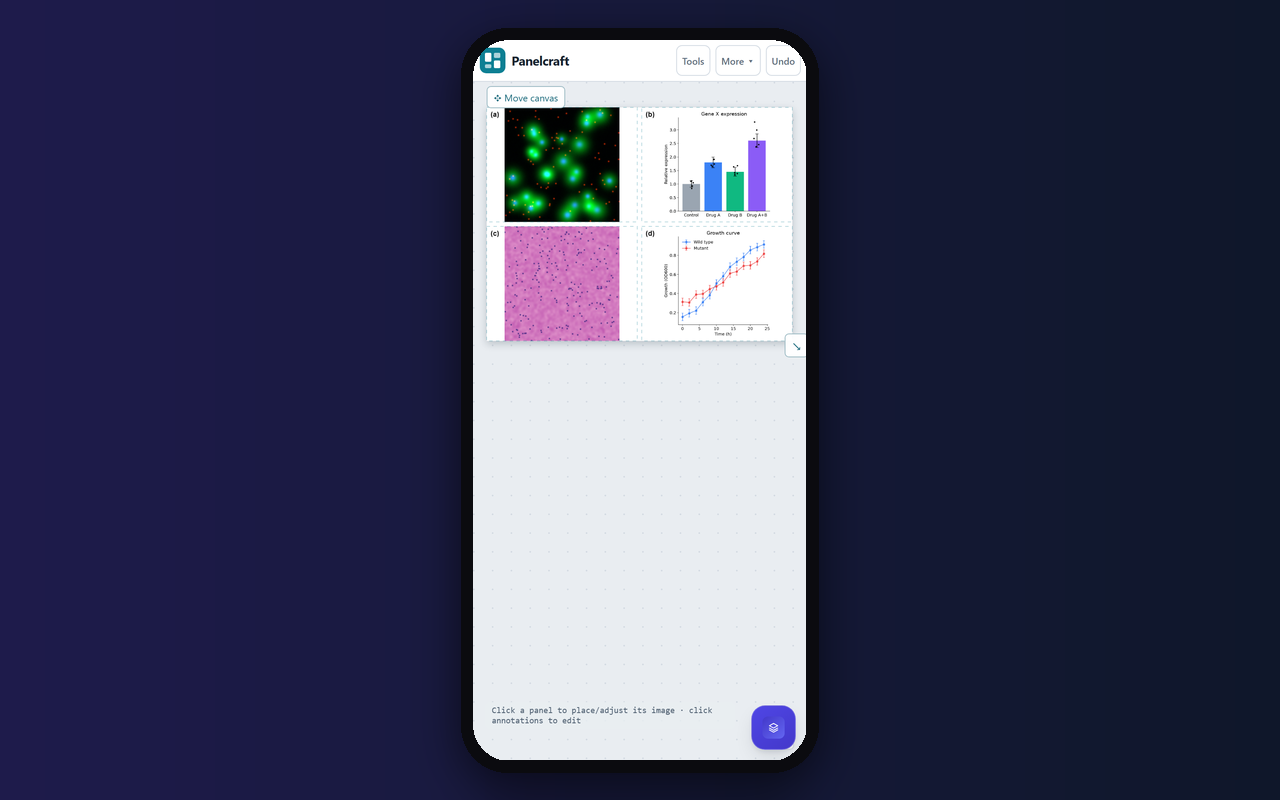
Use the compact desktop toolbar, adjustable side panels and full-screen preview, or the touch-friendly layouts for phones and tablets. Move and resize the on-screen canvas view without changing print dimensions. Save a JSON project containing panel images, reusable workspace assets and editing settings, then reopen it to continue.
Export the figure as PNG or TIFF, including an LZW compression option, at print resolution. Check the final dimensions, source-image quality, calibration and the destination journal’s requirements before submission.
Features
- Flexible panel sizing, merge/split layouts and image-matched backgrounds
- Direct on-figure editing with growing text boxes, labels and captions
- Reusable image and shape workspace with automatic arrangement and drag-and-drop
- Calibrated scale bars, zoom insets, scientific shapes and image adjustments
- Phone and tablet layouts, adjustable canvas view and full-screen preview
- portable JSON projects and print-resolution PNG/TIFF export
Screenshots
FAQs
How do I fit tall or wide images into a panel?
Resize the shared rows or columns, merge neighboring cells, or use Fit entire image to contain the image. Set a panel background color or sample a color from the image to blend unused space.
Can I save reusable workspace images and continue later?
Yes. Save project downloads JSON containing panel images, workspace image sources, thumbnails, shapes and editing settings. Open the JSON to continue. Save before closing the app.
What export formats and resolutions are supported?
Export PNG or TIFF at 300 or 600 dpi, with an optional LZW TIFF compression setting. Page dimensions are specified in millimetres. Check source resolution and journal requirements before submission.
Can I remove individual cells from a figure?
Yes. Select a panel, or use Cells to select a rectangle, then choose Delete selected cells. Undo restores the deletion. Restore deleted cells adds empty cells back to the grid.
Does Panelcraft work on phones and tablets?
Touch-friendly layouts provide Tools, Settings and a More menu, along with touch dragging and workspace thumbnails. Small screens use compact controls and paged workspace items. Browser support for file saving and fullscreen may vary.
Reviews
No reviews yet.