

StoryForge — Storybook & Comic Creator
Creative & Education · v
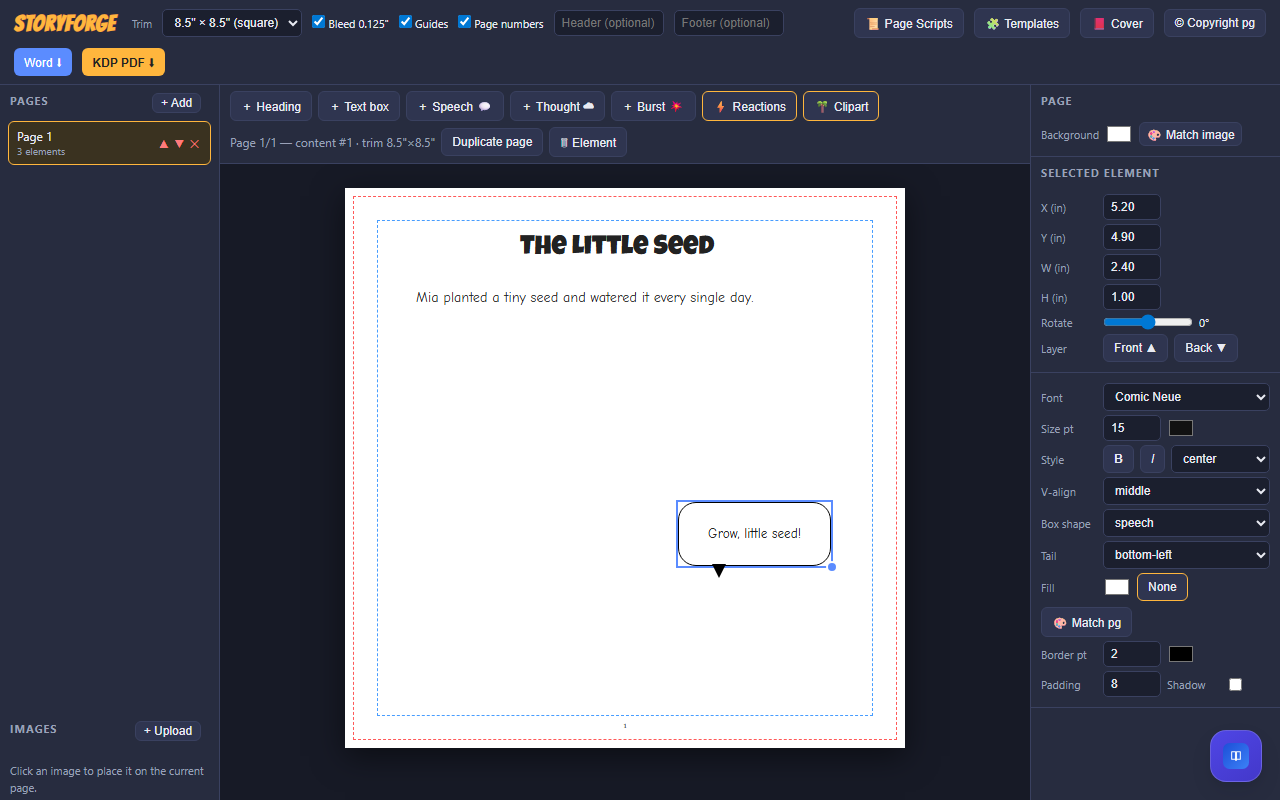
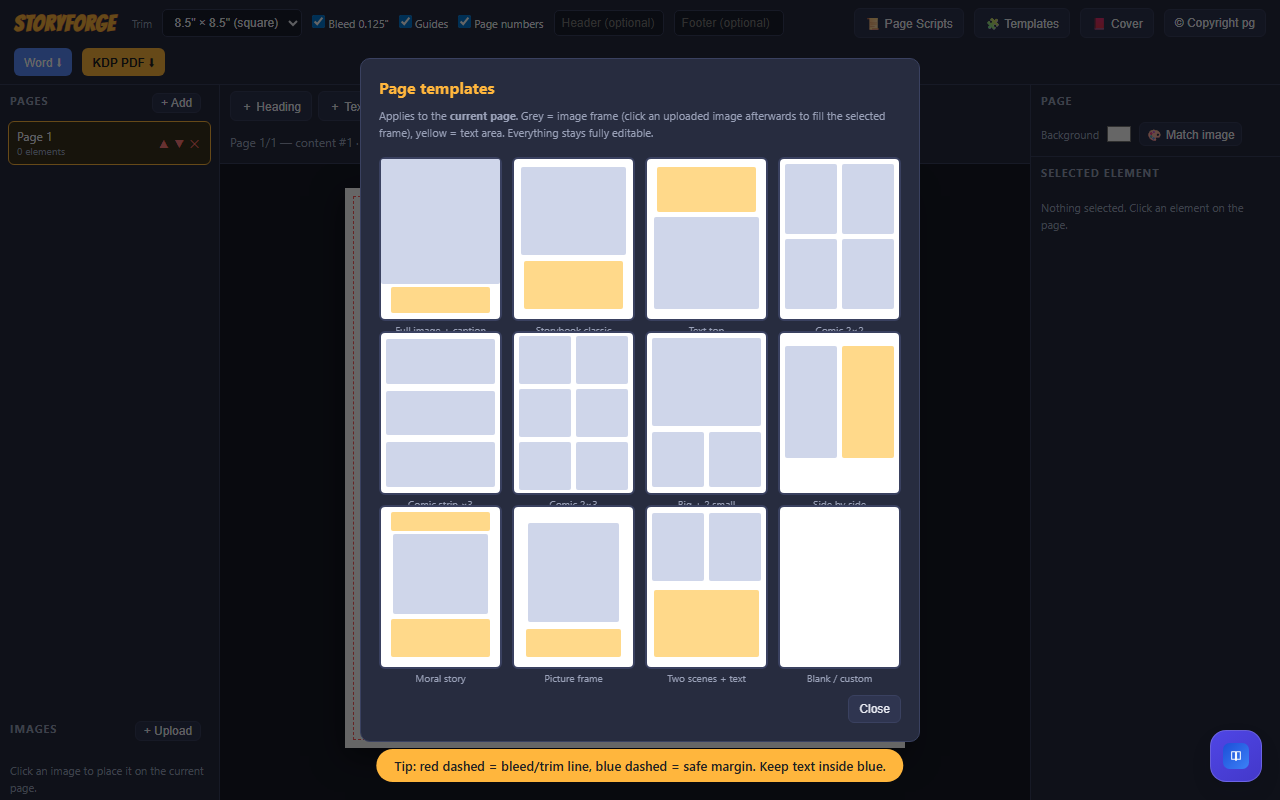
Create picture-book pages, comics and illustrated stories in a visual browser editor. Add headings, text boxes, speech and thought bubbles, reactions, clipart and uploaded images. Apply editable page templates, duplicate and reorder pages, adjust text and image styling, and choose page backgrounds. Set trim dimensions, view layout guides, add headers and footers, and prepare cover-style or copyright pages. Export a Word-compatible document containing rendered page images, or use the PDF export workflow. These exports are layout outputs: review page dimensions, image resolution, margins and bleed against your publisher’s requirements before printing. A cover-style page is not a complete paperback wraparound cover with spine and back cover. PDF and Word export rely on supporting libraries and may require internet access.
Features
- Editable story and comic pages, speech bubbles, image uploads, clipart, templates, page duplication and Word-compatible export
Screenshots
FAQs
Are exports ready for automatic KDP submission?
Review every export before publishing. Word output contains rendered page images. For KDP paperback interiors, verify page size, gutter, safe margins, image resolution and the required bleed dimensions using current KDP guidance. The current PDF bleed setting adds bleed on both horizontal sides, so it needs adjustment before a KDP manuscript submission. A cover-style page is not a wraparound paperback cover.
Reviews
No reviews yet.